
In 2009, Black & Decker launched a handful of products under a campaign, called Energy Saver Series. These products helped consumers monitor their energy usage on a live reader, turn off light switches automatically, and detect potential insulation issues that drove up heating or cooling costs.
Dixon Schwabl would design a microsite that featured all three of these products and an interactive demo that showed how the energy monitor and thermal reader worked. To get to the interactive demo, US customers would select the state where they lived and energy costs would get calculated based on the state average around that time.
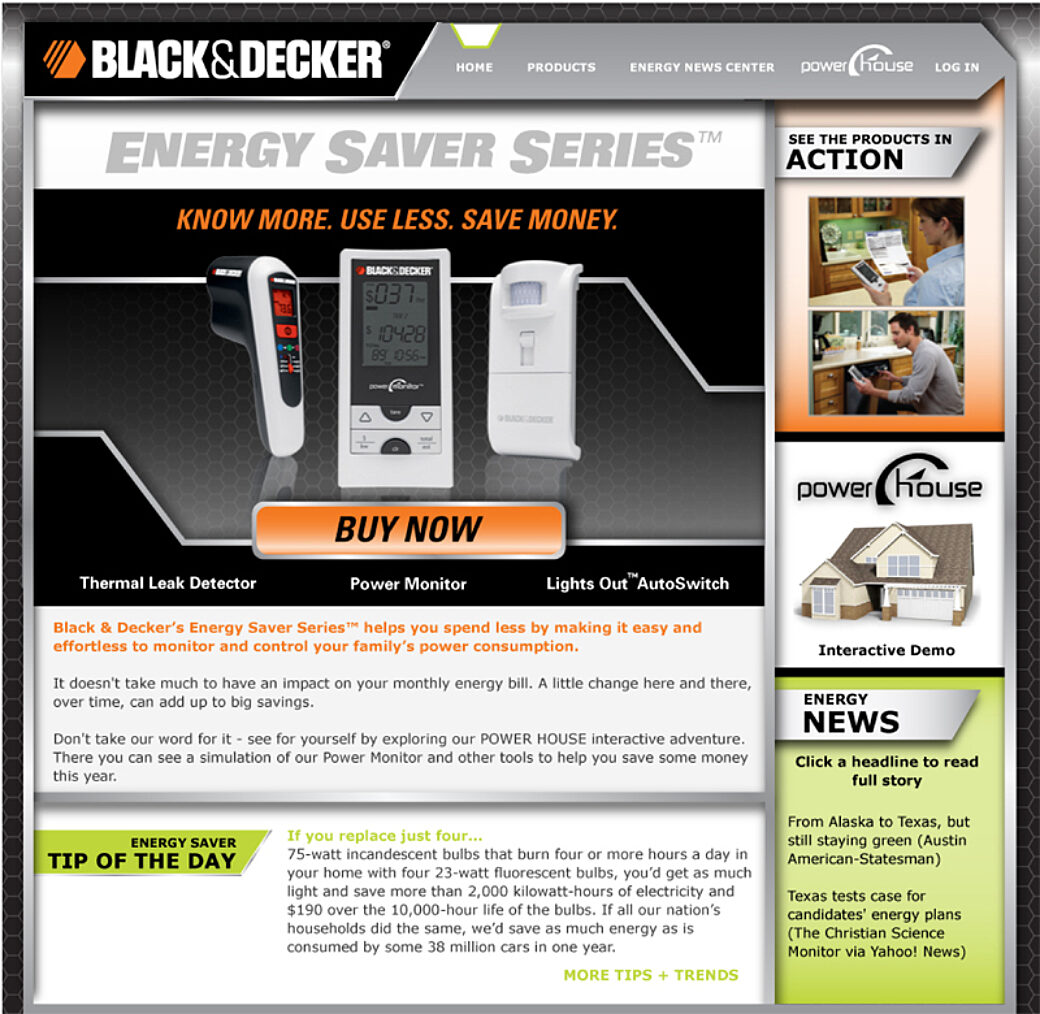
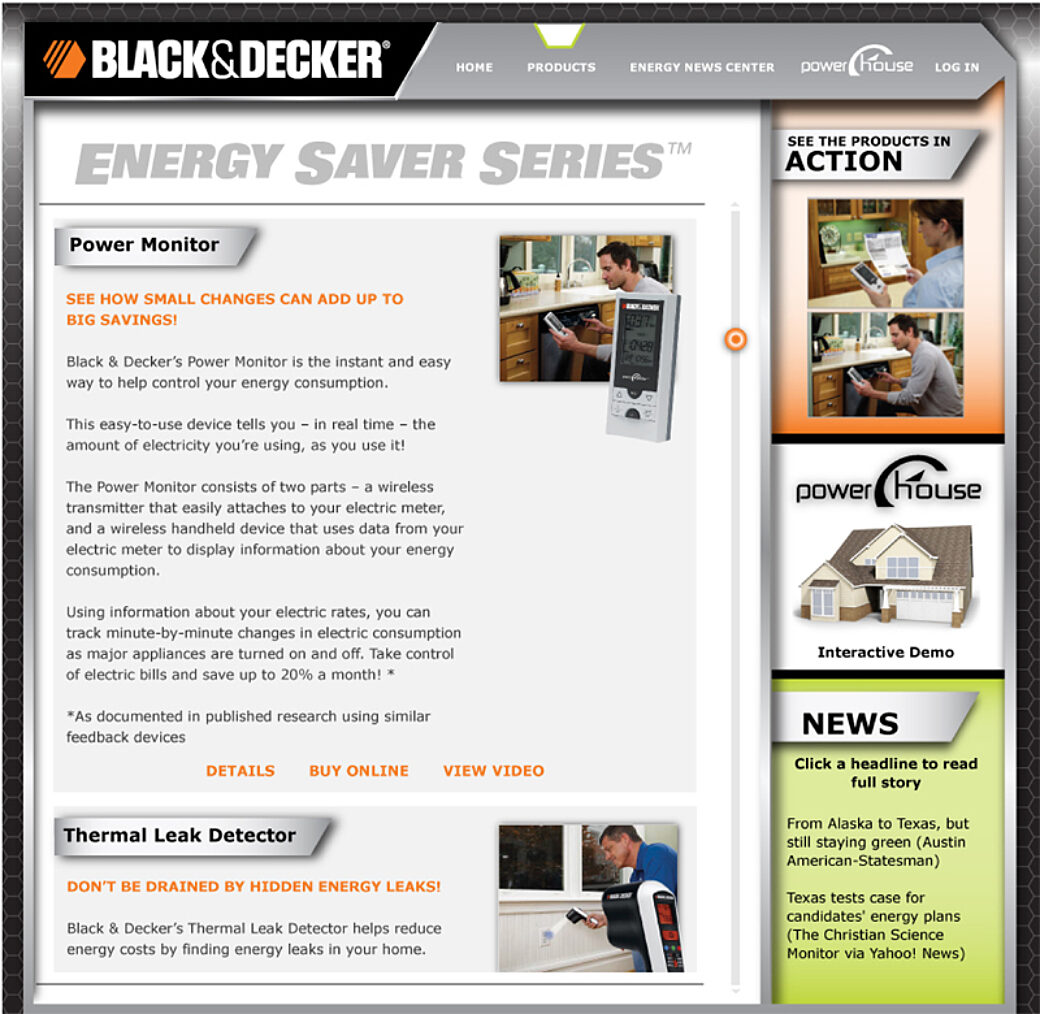
The microsite was built using HTML with all of the tricks you would use in 2009 to accomplish shadows, gradients, and custom fonts. The right-hand sidebar included a link to the interactive demo—which we called the Power House.
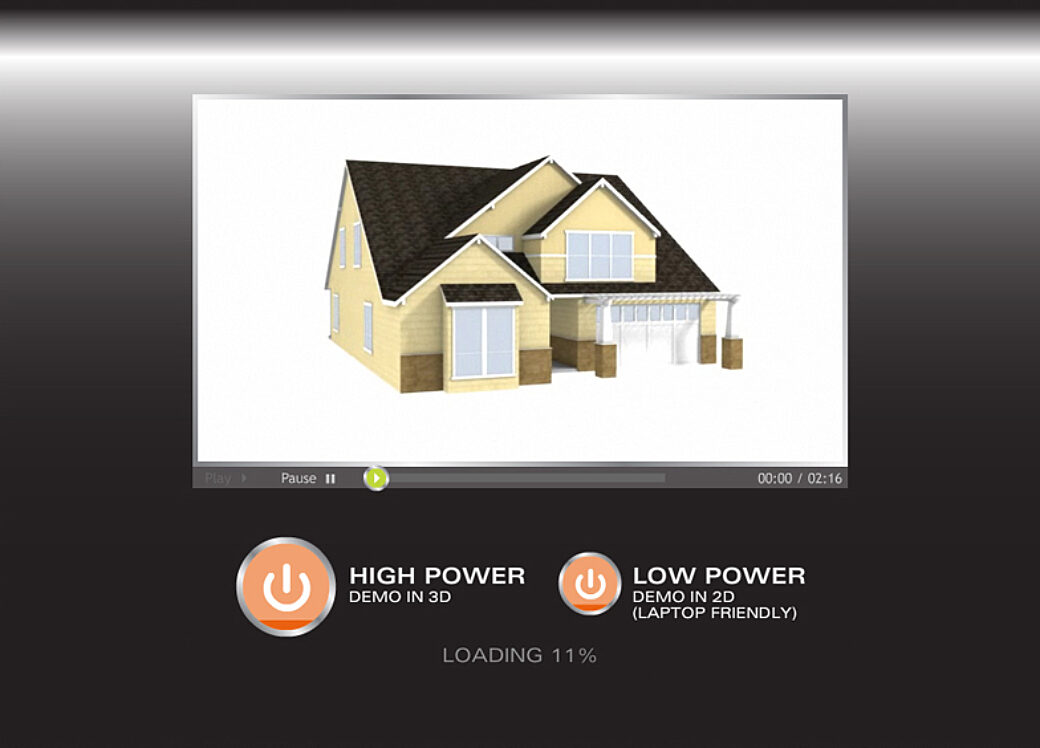
As with a lot of our Flash projects at the time, the first SWF file was just a loading screen that loaded the actual demo assets from a separate SWF file. On this project, we also loaded a video that showed the customer what they should expect when they get in there. Sort of a tutorial explaining how to use the site.
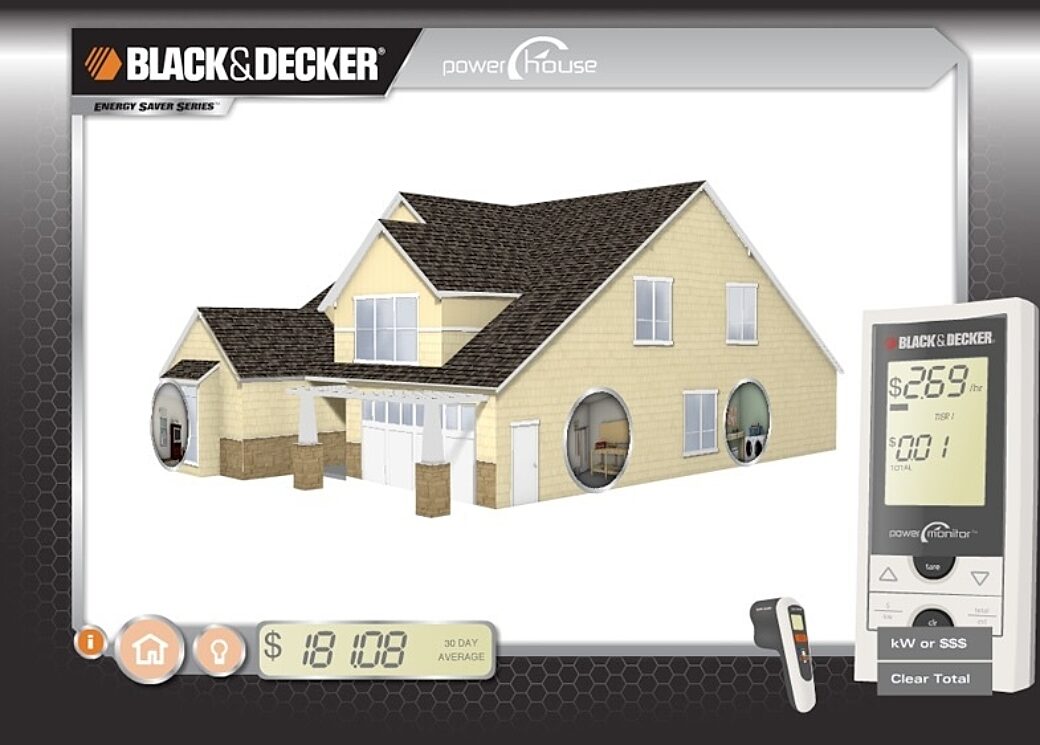
Once loaded, the customer was brought to a game-like interface where a re-creation of the product appears in the bottom-right and the bottom-left featured UI elements to help navigate the website. In the middle of the screen was a 3D house with these portal-like buttons that showed the interior of the room in this imaginary house. Clicking on a portal showed a quick animation and then replaced the house with a fixed view of the interior of the room.
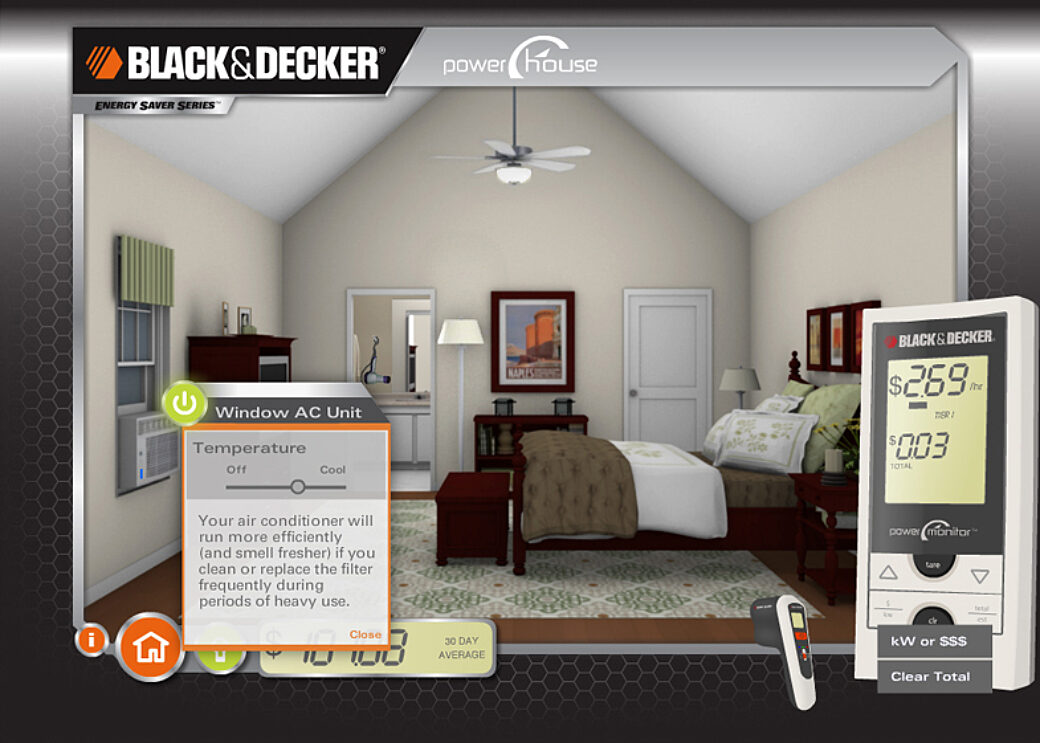
Inside a room, the customer would use their mouse to explore the room. Like a point-and-click adventure game, when they hovered over a point of interest we showed a power button that was orange when the power was off, and green when the device in the room was powered on. Sometime this power button displayed information around appliances that are heavy energy users. Some products had a button to toggle the device on or off, and other products had advanced controls that turned the power up or down.
Just like the actual product, when a device was powered on, you can see the LCD screen on the emulated device change to reflect the energy value and the cost to the customer. To drive home that energy can be tied to homeownership costs, we took that energy cost and multiplied it to show a 30-day average.
In the bottom-right corner, a customer could click on the other device and it would swap the mode for the interactive demo from the energy toggles to a thermal measuring mode.
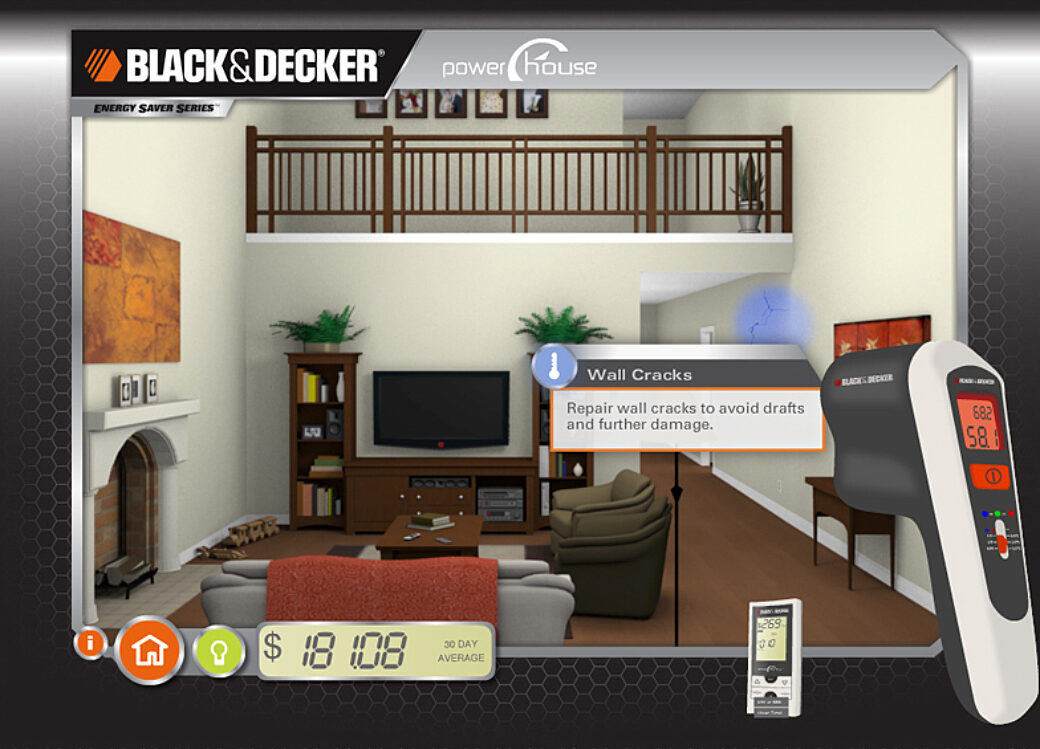
When the Thermal Leak Detector was on screen, a colorful light followed the mouse cursor and as the customer moved their mouse around the screen you could see the light change as a new set of points of interest would simulate what it was like to point the device towards a portion of the room that was outside of the room’s average temperature. So when you pointed it at a drafty window, the light would turn blue to show that cold air could be leaking into your home. In some cases we displayed educational messages that called out common areas where thermal leaks occurred.
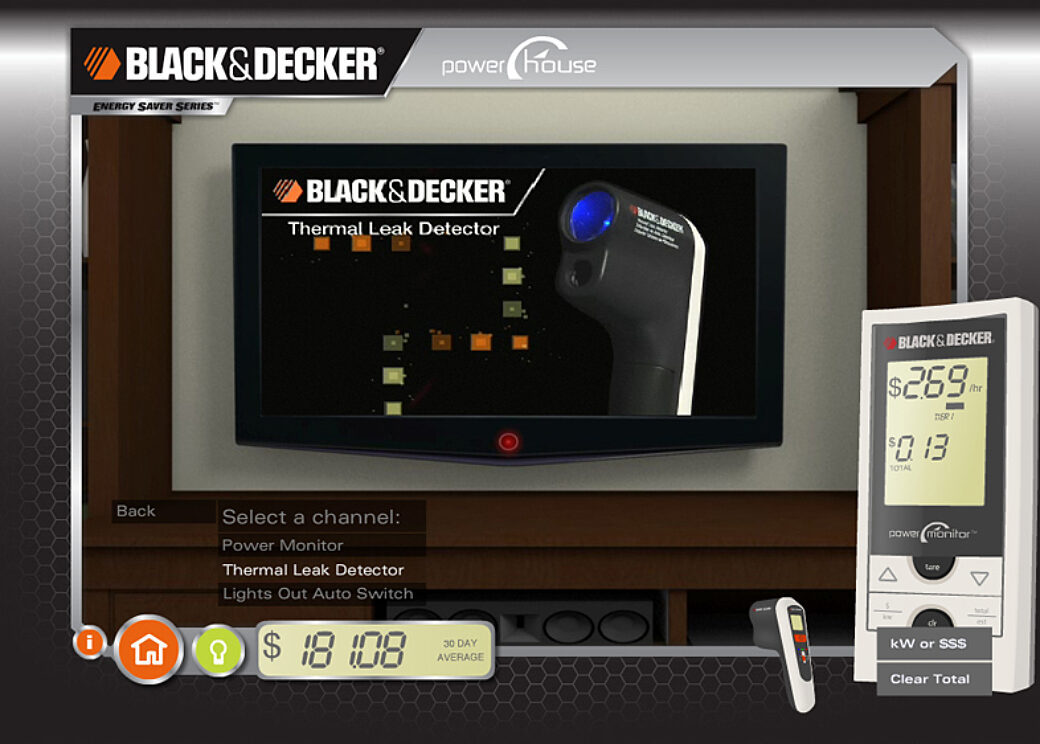
As a bit of an easter egg, and to enhance the immersion of this site, when a customer found the Plasma TV on the wall in the living room we included an option to "Watch TV". Clicking this button zoomed further into the room and on the TV screen we played 3 different product videos.
Here is what the project looked like in action:
What I Did
As a running theme in my work archive, I don’t remember who did the HTML and CSS for the microsite. It could have been me, one of my co-workers, or even the web development team at Black & Decker that we worked with to implement this project. My main focus, and the part that took the longest, was the Power House interactive demo.
I worked closely with my friend, Ian Auch, on this one. Ian worked with our designers to design the room interiors and he modeled them out in a 3D program. He rendered the room with the main light on and then again with the light off, then for each lamp or other light source he would provide me with images with transparent background so we could blend them in to show the light was on or off.
Ian also created the 3D model of the house in a format that I could use in Flash. We came up with the idea to change the angle of the interior rooms on the portals based on the rotation of the house, so Ian re-rendered each room at different angles and provided them to me as low-res images.
I used the excellent Papervision3D engine to rotate the 3D house and the portals in space.
I created the emulated products with some help from the design assets I was given, and by manually creating the LCD screens in Flash. ActionScript was used to modify all of the data on the screens.
For the Power Monitor, we talked to the engineering team at Black & Decker and they provided us with the formula the device used to calculate the energy usage and the cost totals.
For the Thermal Leak Detector, Ian and I came up with the idea to use something similar to a bump map in a 3D program to define the differences in temperature. We took the 2D renderings from each room and used Photoshop to draw a greyscale image on top of it. Black areas would indicate areas where the temperature was hotter, white areas showed colder areas, and middle grey was around the base room temperature. We then took that image into Flash, set its opacity to zero, and used it to detect the brightness value that your mouse was over. We’d calculate a temperature value and put it on the Thermal Leak Detector’s LCD screen, and if you met a certain threshold we would change the color of the light from the device from green to red or blue.
Fin
Please don’t tell my other Flash projects this, but this was my favorite Flash project that I got to be part of. This was a simple idea that got us to stretch our problem-solving muscles and it let us show off all of the technical skills we had earned up until that point.
What I liked the most was sitting around with Ian and our designers to explore different ways we could approach each part of this project. We did proof of concepts to learn our way through the 3D Flash stuff and the bump map approach. I remember working long hours and staying late just because it was so fun to work in this playground we were creating.